Before you build any automation, bot, or CRM workflow, write a one-page spec sheet. Here's the universal structure that prevents expensive rebuilds.
Write This One Page Before You Touch a Single Tool
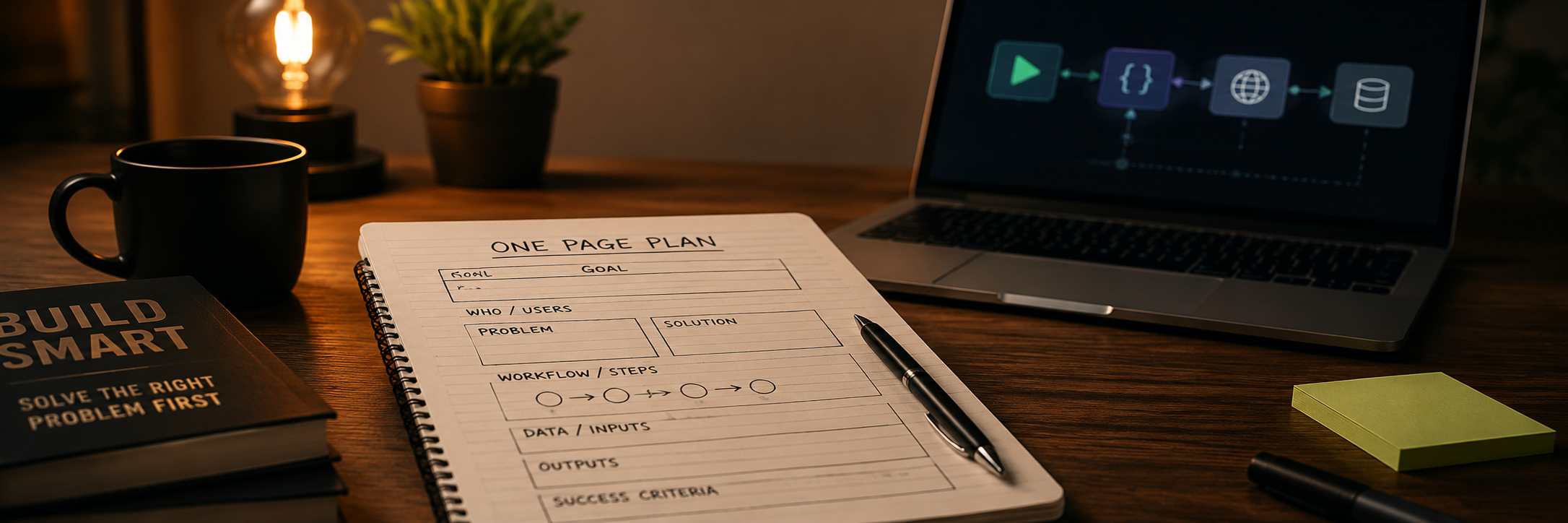
I said this series was going to be practical, and it is. But I debated hard before writing this post. Part of me wanted to skip straight to the build, hand you a working workflow, and let you reverse-engineer the thinking. That's fun. People like it. And I genuinely considered doing that instead of this.
I'm glad I didn't. Because when I look at the internal tools I've built — an internal CRM, a marketing automation, a couple of document parsers — the ones that still run clean are the ones where I spent 20 minutes thinking before I opened a single tool. The ones I rebuilt from scratch, sometimes twice, are the ones where I skipped that step and figured it out as I went.
This post is that 20 minutes, structured. One page. Done before you write a single prompt, click a single workflow node, or ask an AI to generate anything. It applies whether you're building an internal CRM, a client-facing intake tool, a marketing automation, or a document parser. The structure doesn't change much. What changes is which optional columns you need.
Here's the honest reason it works, before we get into the mechanics. The page isn't paperwork — it's a thinking exercise. It makes you sit with five questions you would otherwise answer by accident: What do I actually want this to be? What are its goals? How will it evolve? Who interacts with it, and how? What do I want it to produce? You are going to answer those questions either way. The only choice is whether you answer them on purpose, in two minutes, or discover your answers halfway through the build, when they're expensive to change.
Why a Spec Sheet at All? Because "I'll Figure It Out" Is a Timeline
Most automation projects don't fail because the builder picked the wrong tool. They fail because the builder was solving an underspecified problem. You built a thing, it kind of worked, and then six months later you needed it to do something slightly different and discovered the original design had no room for that. So you patched it. Then patched the patch. Then rebuilt it.
A one-page spec sheet does one thing: it forces you to have the hard conversation with yourself before the tool has opinions. Once you've wired up 15 nodes in Make or written 400 words of system prompt, you're anchored. You'll defend decisions that were never really decisions, just defaults. The spec sheet breaks that anchor before it sets.
It also does something I didn't expect when I started using one: it becomes a shared language. When I hand something off to another person, or come back to a workflow after three weeks away, the spec is why I don't have to reconstruct the thinking from scratch. It's sitting right there.
The actual deliverable: a single Google Doc, Notion page, or even a plain text file you can read in under two minutes. No formal templates required. No project management software. The discipline is in the questions, not the format.
The Six Questions Every Spec Needs to Answer
These are the universal core. Every build, regardless of size or complexity, needs answers to all six before anything gets built.
1. What problem does this solve, in one sentence? Not the feature list. The problem. "Every new lead means 15 minutes of copying the same details across three different tools" is a problem. "An intelligent client management system" is a product brochure. Write the problem first, and make sure everyone who will touch this tool can read it and immediately recognize the pain you're describing.
2. What does success look like, specifically? This is the one most people skip, and it's the most expensive skip. "Success" needs a measurable shape. It doesn't have to be a hard KPI with decimals, but it needs to be something you can evaluate against six months from now. "Nobody on the team re-enters a contact by hand anymore" is a success definition. "It works well" is not. If you can't describe what good looks like, you can't know when you're done, and more importantly, you can't know when you've drifted.
3. What goes in (inputs)? List every data source this tool will touch. Emails, form submissions, PDFs, spreadsheet rows, calendar events, webhook payloads, manual entries. Be specific. "Client information" is not an input. "A completed intake form containing name, company, budget, and enquiry type" is an input. The more precisely you describe your inputs, the faster you'll build, because you'll know immediately what data you have and what you'll need to go get.
4. What comes out (outputs)? Same discipline as inputs, but on the other side. A formatted Slack message? A row in a CRM? A drafted email? A PDF? A triggered workflow? List the actual artifacts the tool produces. This is also where you'll catch the cases where you're asking one tool to do too many different things, which is usually the root cause of the rebuild problem.
5. Who touches this, and how? Name the users. Not user types, actual people or roles: "me only", "the ops team (currently two people)", "the teammates who log new leads", "clients directly". Then describe the interaction: does this person trigger the tool, review its output, receive a notification, or enter data? This question will tell you more about your interface requirements than any UX framework will.
6. What are you explicitly NOT building right now? This is the constraint column, and it matters as much as the others. "This tool will not send outbound campaigns in the first version." "This will not integrate with the accounting software yet." Constraints aren't failures. They're decisions. Writing them down means you don't accidentally design for them, and you don't get feature-crept into them by someone who asks "well, can it also..."
The Part That Makes It a Living Document: Build It With the AI, Don't Just File It
Here's where it gets interesting, and it's the part most people miss. Once you have a draft of those answers, don't file the spec and start building. Paste it into ChatGPT, Claude, or whatever model you're using for the build, and tell it to interrogate you.
Literally say: "Here is my project spec. Ask me the questions I haven't answered yet. Point out where my goals are vague or contradictory. Flag any assumptions I'm making about the data or the users that might not hold." Then have that conversation. The AI will find the holes, because you wrote the spec in your own head, which means your blind spots are perfectly invisible to you and perfectly visible to something reading it cold.
Then — and this is the shift — let the model rewrite it back to you. Feed it your rough answers and have it mould them into a cleaner spec: tightening the problem statement, naming the edge cases you waved past, turning "it should be fast" into something you can actually measure. You go back and forth. It isn't doing the thinking for you; it's pushing your thinking somewhere you wouldn't have taken it alone. What comes out reflects what you actually want, not just what you happened to type first.
That's what turns the page from a planning artifact into a living, breathing document. It keeps changing as the build teaches you things — and crucially, it keeps changing with the AI in the loop. When you eventually write a system prompt, you pull from it. When something breaks and you debug, you reference it. When you add a feature, you update the spec first and let the model react to it. The spec becomes the single place where you and your AI assistant are looking at the same picture — the thing that keeps you both thinking on the same lines as the project evolves, instead of quietly drifting apart.
Think of it this way: without the spec, you and the AI are two people trying to build the same piece of furniture from different mental images of what it's supposed to look like. The spec is the picture on the box. Not perfect, not final, but shared — and you both keep redrawing it together as you go.
Bigger Projects: The Three Columns You Add When Stakes Get Higher
The six questions above cover most single-person builds, automations with one or two steps, or tools that live inside one platform. When the project is bigger, add these before you start.
Scale and access: Is this tool internal-only forever, or might it expand? Will other people at other companies eventually touch it? The answer changes your data model, your error handling, and whether you need any kind of authentication. You don't have to build for scale on day one. You do need to know whether you're building a tool that will never need to scale, because that justifies shortcuts that are genuinely wrong for something public-facing or multi-tenant.
Error states and edge cases: What happens when something breaks or a user does something unexpected? A solo internal tool can fail silently and you'll notice. A tool that sends client-facing communications cannot. Write two or three specific "what if" scenarios: what if the input is missing a required field, what if the API call fails, what if a user submits the same data twice. This column is where you find out whether you're building something fragile or something robust.
Future goals: This is not the features-you-want-to-build list. It's a short paragraph answering: where do you want this to be in 12 months? Even a rough answer shapes current decisions. When I built my own internal CRM and marketing automation, knowing that I eventually wanted it to handle more contact types and more outbound channels meant I structured the data schema early in a way that didn't paint me into a corner. I didn't build those features. But I left the door open. That's the whole point of this column.
What This Actually Looks Like: A Sample Skeleton
Here's the structure, stripped to its bones. Copy it into a doc, answer it honestly, and you have your spec.
PROJECT: [Name it something you'll recognize in six months]

PROBLEM (one sentence):

SUCCESS LOOKS LIKE:

INPUTS:
- [Data source 1]
- [Data source 2]

OUTPUTS:
- [Artifact 1]
- [Artifact 2]

USERS AND HOW THEY TOUCH IT:
- [Role or name]: [what they do]

OUT OF SCOPE (v1):
- [Explicit constraint 1]
- [Explicit constraint 2]

--- FOR LARGER BUILDS ---

SCALE / ACCESS:

ERROR STATES TO PLAN FOR:

12-MONTH DIRECTION:
That's it. Fill this in before you open Make, n8n, Zapier, or your system prompt editor. Then paste it into your AI assistant, ask it to punch holes in it, and let it mould your answers into something sharper. Update it based on what comes back. Then build.
The spec is not a formality you do so you can say you planned. It's the thing that means your second version is an improvement, not a rewrite. It doesn't take that long to build either. Most AI models these days have simple voice-to-text functionality. Drop the above template in, and start talking about each point. Go back and forth a few times telling the agent to be critical and think about the gaps in your plan. That's it.
Build assignment: Pick one automation or tool you've been meaning to build, or one you built that already needs a rewrite. Fill in the skeleton above. Then paste it into ChatGPT or Claude with this prompt: "Here is my project spec. Ask me the questions I haven't answered. Point out vague goals, missing constraints, and any assumptions about data or users that might not hold, then rewrite it into a tighter version." Run that conversation, update the doc, and save it somewhere you'll actually find it. That doc is your starting point for the next post in this series, where we move into the actual build.
If you hit something interesting in that conversation, or get a question from the AI you didn't expect, send me a note. We'll tackle the interesting ones in the series.
Mark Freedman
Mark Freedman writes for Stonefield Capital, an FSRA-licensed private mortgage lender serving Ontario brokers, investors, and borrowers since 2018.
Social media templates, email templates, and AI personalization tools for this article.